Choose the Right Tool

AI Tools Guide

Explore artificial intelligence tools for conversation, research, writing, images, video, music, coding, publishing, education, business, productivity, and automation.

Start with the Task

The Best AI Tool Is the One That Fits Your Goal

No single artificial intelligence tool is best for every person, project, or type of work.

A conversational assistant may be excellent for brainstorming, explanations, writing, and planning. A research platform may be better for finding current sources. An image generator may create visuals, while a coding assistant may help build websites or applications.

Instead of asking which AI tool is the most powerful, begin with a better question: What result am I trying to create?

Simple rule: Choose tools according to the task, not according to popularity alone.
Major Categories

Types of AI Tools

Artificial intelligence tools can be grouped according to the work they help people perform.

Conversational AI

Ask questions, generate ideas, write content, explain concepts, analyze information, plan projects, and continue through follow-up conversation.

  • Chat and question answering
  • Writing and rewriting
  • Planning and brainstorming
  • Document analysis
  • General productivity

AI Research Tools

Search sources, summarize findings, compare viewpoints, organize references, and identify areas that need deeper investigation.

  • Current information
  • Source discovery
  • Literature summaries
  • Question development
  • Fact-checking support

AI Writing Tools

Draft, rewrite, edit, summarize, translate, expand, shorten, and improve written content.

  • Articles and blog posts
  • Emails and documents
  • Books and scripts
  • Grammar and clarity
  • Marketing copy

AI Image Tools

Generate, edit, transform, enhance, restore, or redesign visual content through written instructions.

  • Illustrations
  • Book-cover concepts
  • Hero images
  • Promotional graphics
  • Concept art

AI Video Tools

Create clips, animate scenes, generate presenters, add effects, improve footage, and turn scripts into visual stories.

  • Short video generation
  • Avatar presenters
  • Animation
  • Video editing
  • Script-to-video production

AI Music and Audio

Generate songs, instrumentals, voices, narration, transcripts, sound effects, and audio demonstrations.

  • Music generation
  • Voiceovers
  • Speech-to-text
  • Text-to-speech
  • Audio enhancement

AI Coding Tools

Help write, explain, debug, test, document, and improve computer code.

  • Website development
  • Application prototypes
  • Code explanations
  • Error correction
  • Automation scripts

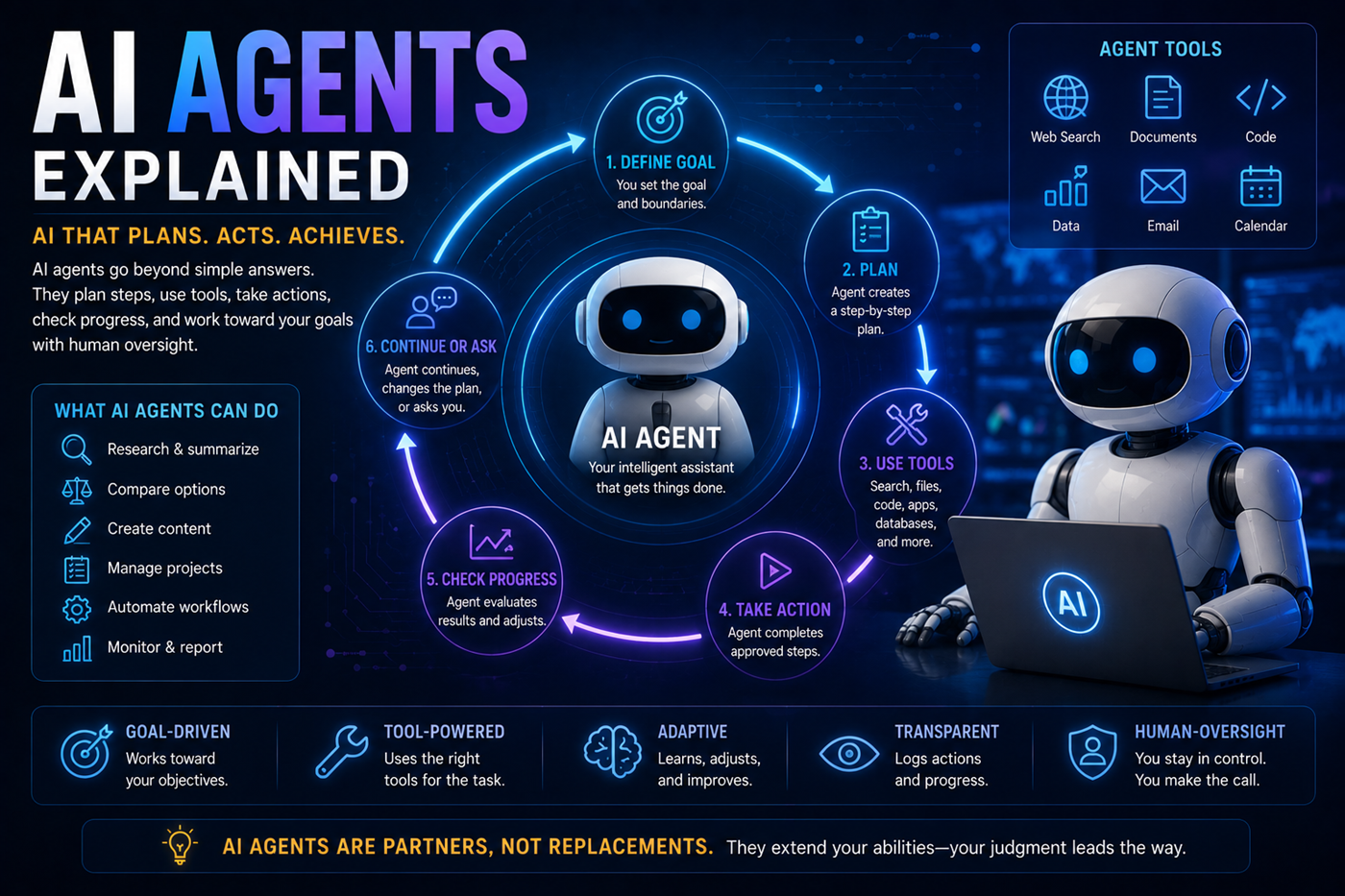
AI Automation and Agents

Connect tools, complete multi-step workflows, monitor tasks, prepare actions, and request human approval.

  • Workflow automation
  • Research agents
  • Tool-connected assistants
  • Scheduled processes
  • Multi-step operations
Learn about AI agents

AI Business Tools

Support research, planning, communication, marketing, customer service, reporting, and operational efficiency.

  • Business planning
  • Customer support
  • Marketing content
  • Market analysis
  • Process documentation

AI Education Tools

Create explanations, lesson plans, quizzes, study guides, practice exercises, and personalized learning support.

  • AI tutoring
  • Lesson development
  • Study assistance
  • Practice questions
  • Learning paths

AI Publishing Tools

Assist with research, outlines, editing, metadata, keywords, descriptions, page creation, marketing, and content expansion.

  • Book development
  • Editing support
  • Book descriptions
  • SEO and GEO content
  • Publishing workflows
Explore AI for authors

AI Data Tools

Organize, analyze, visualize, classify, compare, and summarize structured information.

  • Spreadsheet analysis
  • Charts and reports
  • Pattern discovery
  • Forecasting support
  • Data cleaning
General-Purpose Assistants

AI Platforms That Can Handle Many Tasks

General-purpose AI assistants can help with writing, research, coding, planning, creativity, education, and business tasks. Explore these guides to discover which AI platform best fits your needs.

ChatGPT

A versatile AI assistant for writing, research, coding, brainstorming, images, productivity, planning, and everyday problem-solving.

Explore ChatGPT

Claude

Excellent for long-form writing, document analysis, editing, structured thinking, research, and detailed explanations.

Explore Claude

Gemini

Google's AI assistant that integrates with search, Workspace, research, productivity, and multimedia creation.

Explore Gemini

Grok

An AI assistant known for current-event discussions, creative brainstorming, analysis, and alternative perspectives.

Explore Grok

Perplexity

An AI-powered research assistant that provides cited answers, web search, and fast information gathering.

Explore Perplexity

NotebookLM

Google's AI research notebook that helps organize documents, summarize information, and generate study materials.

Explore NotebookLM

Replit AI

An AI-assisted development platform that helps build websites, apps, scripts, and software directly from natural language.

Explore Replit AI
Platform note: AI names, models, features, prices, limits, privacy policies, integrations, and availability can change. Review the provider's current information before choosing a paid plan or relying on a specific capability.
Make a Better Choice

Nine Questions to Ask Before Choosing an AI Tool

1

What Is the Task?

Define whether you need writing, research, images, video, music, code, data analysis, or automation.

2

Who Will Use It?

Consider the user's experience level, accessibility needs, device, language, and technical comfort.

3

What Quality Is Required?

A casual idea may need less precision than a published book, client report, commercial image, or business system.

4

Does It Support Your Format?

Check whether the tool accepts the files, image sizes, code languages, audio formats, or export types you need.

5

What Does It Cost?

Compare subscriptions, credits, usage limits, commercial licensing, storage, and additional fees.

6

How Is Data Handled?

Review privacy settings, training policies, file retention, account controls, and confidential-data restrictions.

7

Can Results Be Verified?

Consider whether the tool provides sources, browsing, citations, logs, previews, or other ways to review its work.

8

Does It Connect to Other Tools?

Integrations may allow AI to work with documents, email, calendars, websites, databases, or automation systems.

9

How Much Review Is Needed?

Determine whether the output requires fact-checking, editing, approval, testing, or professional review.
Build a Tool Stack

One Project May Use Several AI Tools

Advanced creators often combine specialized tools rather than expecting one platform to do everything.

1

Research

Discover current sources, questions, trends, and evidence.

2

Writing

Organize ideas, create drafts, edit, and improve clarity.

3

Visuals

Generate hero images, illustrations, covers, and promotional graphics.

4

Development

Build websites, applications, tools, pages, and interactive resources.

5

Publishing

Prepare metadata, descriptions, internal links, pages, and marketing assets.

Free or Paid?

Compare More Than the Price

Free AI Plans

Free access can be useful for learning, experimenting, and completing occasional tasks.

  • Good for beginners
  • Low financial risk
  • Useful for testing interfaces
  • May have usage limits
  • May restrict advanced models or tools
  • May include slower access
Start small: Test the workflow before committing to several subscriptions. A tool is valuable only when it helps you produce useful results consistently.
Tool Evaluation

What to Compare During a Trial

Accuracy

Does the tool produce reliable information, and can important claims be checked?

Quality

Are the writing, images, code, audio, or video suitable for your intended use?

Ease of Use

Can you learn the interface without losing more time than the tool saves?

Control

Can you guide style, length, structure, format, settings, and output details?

Consistency

Can the tool produce dependable results across several similar tasks?

Export Options

Can you save the result in the file type, size, resolution, or format you need?

Privacy

Are you comfortable with how prompts, files, conversations, and outputs may be handled?

Commercial Use

Do the provider's terms allow the output to be used in books, products, advertising, or client work?

Example Project

A Multi-AI Book Publishing Workflow

The Goal

Create a practical nonfiction book, supporting website pages, promotional images, Amazon metadata, and a connected educational resource.

Each tool is chosen for the part of the project it performs best.

Possible Tool Roles

  • Use research tools to explore current information, questions, sources, and competing viewpoints.
  • Use a language model to organize the research, create the outline, and develop chapter drafts.
  • Use editing tools and human review to improve clarity, flow, voice, and factual reliability.
  • Use an image generator for the cover concept, hero images, promotional graphics, and visual learning aids.
  • Use coding assistance to create HTML pages, tools, forms, or interactive resources.
  • Use publishing tools to develop descriptions, categories, keywords, metadata, and promotional copy.
  • Connect the book, website, knowledge center, academy, and supporting resources through internal links.
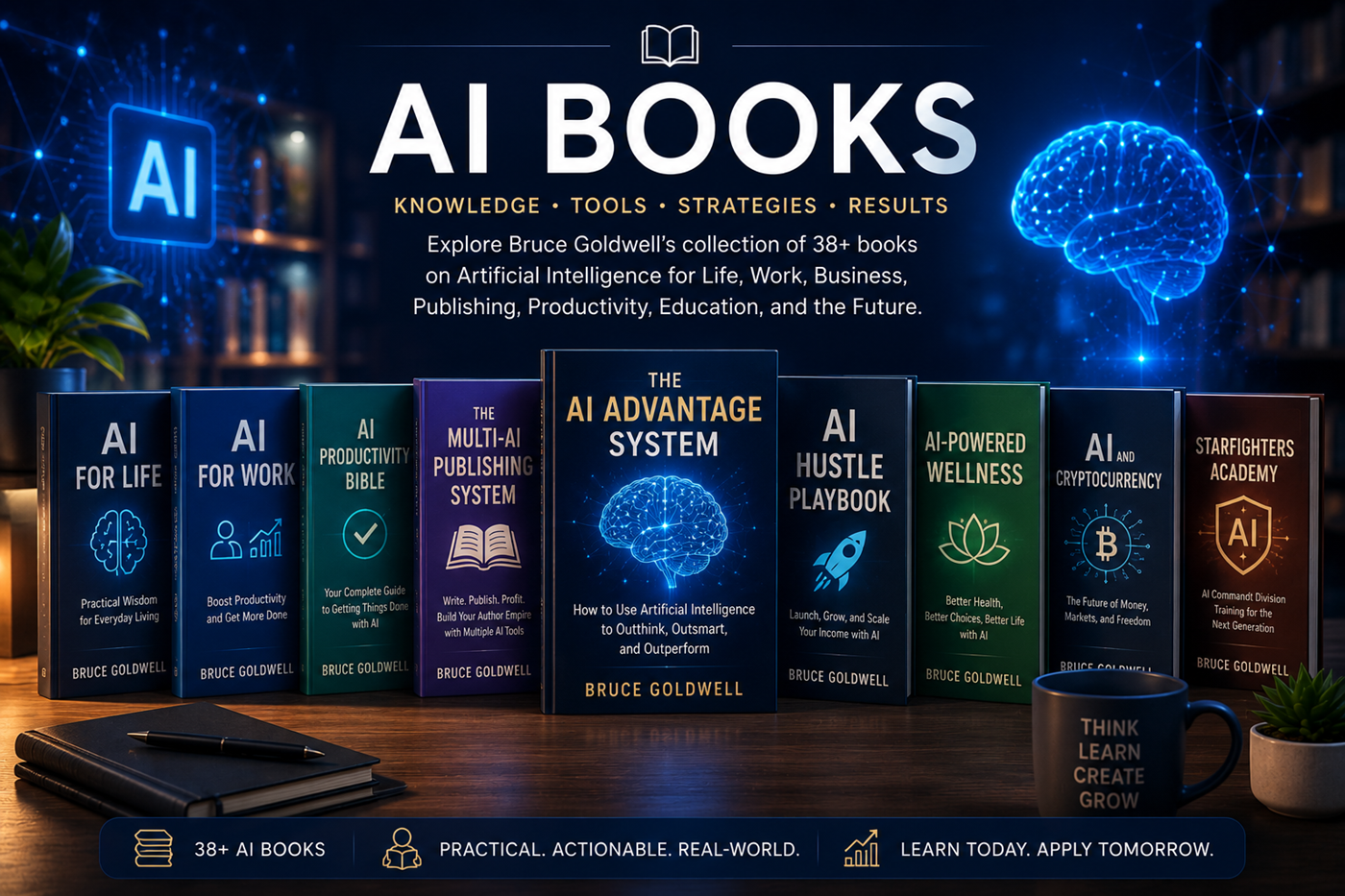
A digital library representing Bruce Goldwell's artificial intelligence books
AI Books by Bruce Goldwell

Explore a Growing Library of AI Knowledge

Bruce Goldwell has created approximately 38 books connected to artificial intelligence and its practical use across many areas of life.

These books explore AI for work, publishing, business, wellness, education, productivity, cryptocurrency, creativity, research, digital income, and the future of technology.

  • AI for life and decision-making
  • AI for work and professional productivity
  • AI for authors and publishers
  • AI entrepreneurship and digital income
  • AI health and wellness applications
The Human Role

Tools Do Not Replace Direction, Judgment, or Responsibility

AI tools can increase speed and expand possibilities, but they still require human goals, review, correction, and final approval.

A tool may generate text that sounds convincing but includes false information. It may create an image with visual errors, produce code that needs testing, or recommend a workflow that does not fit your situation.

  • Define the purpose
  • Choose the right tool
  • Provide useful context
  • Review every important result
  • Verify factual claims
  • Protect private information
  • Accept responsibility for the final work
AI agent using search, documents, code, data, email, calendars, and human oversight
Safety and Responsibility

Use AI Tools Carefully

Protect Confidential Information

Do not upload private client files, passwords, account details, medical records, unpublished contracts, or other sensitive information without understanding the platform's policies.

Verify Important Claims

Check dates, statistics, laws, quotations, scientific claims, financial information, and current events through authoritative sources.

Review Commercial Rights

Confirm whether generated images, music, voices, video, code, or text may be used commercially.

Test Code and Automation

AI-generated code and automated actions should be tested before being placed on a live website or connected to important systems.

Watch for Bias

Generated content may reflect incomplete data, cultural assumptions, stereotypes, or missing perspectives.

Keep Human Approval

Financial, legal, medical, public, irreversible, or high-impact actions should require human review.

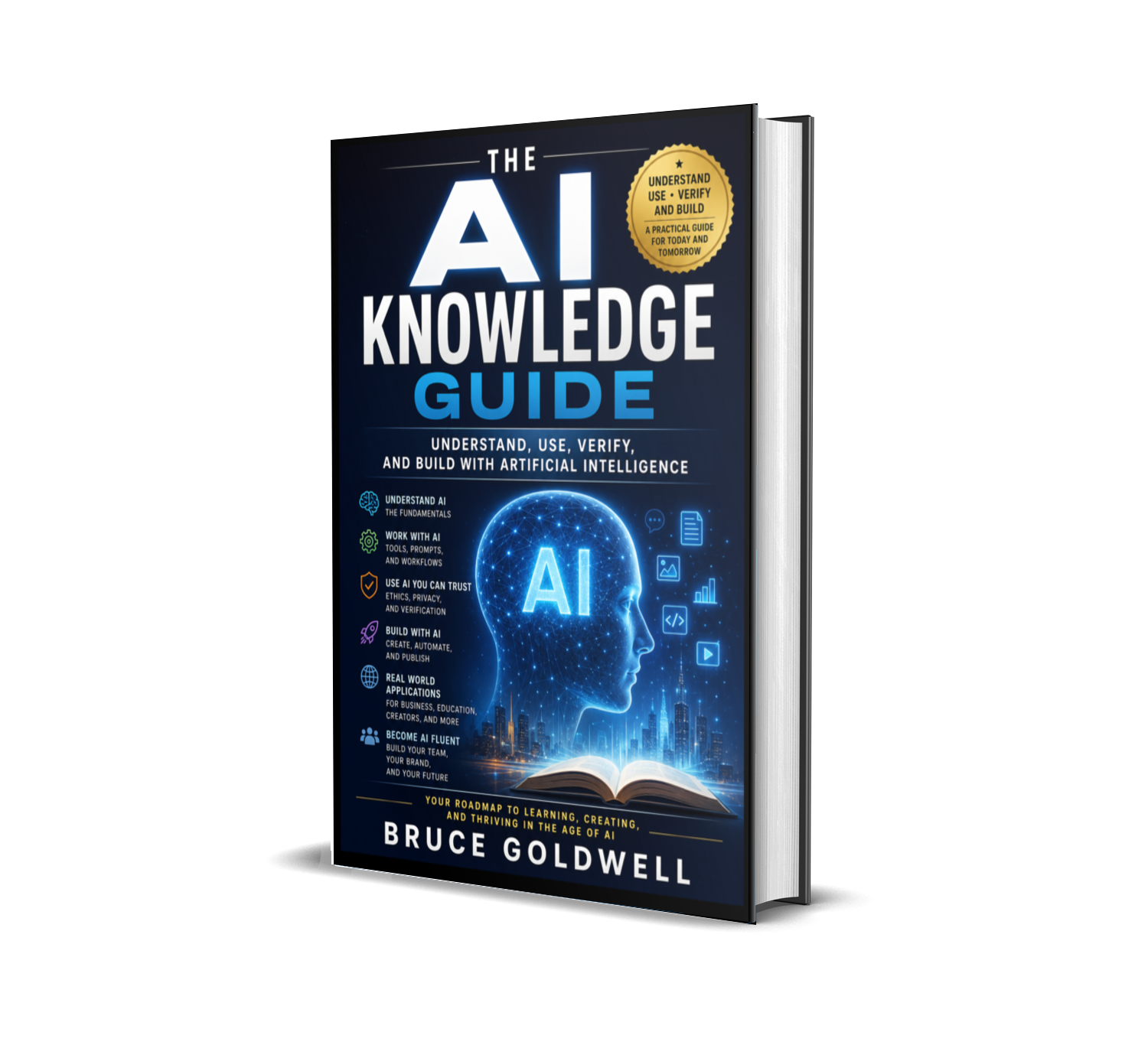
Bruce Goldwell books about artificial intelligence tools, prompts, productivity, publishing, business, education, and automation
Learn Through Books

Explore Practical AI Tools and Workflows

Bruce Goldwell's growing library includes more than 38 AI-related books covering prompts, productivity, work, publishing, entrepreneurship, wellness, education, creativity, automation, and future technology.

Titles such as AI Productivity Bible 2026, The Multi-AI Publishing System, The AI Hustle Playbook, AI for Work, and AI for Life help readers move from individual tools to complete systems.

Frequently Asked Questions

Questions About AI Tools

What AI tool should a beginner use first?

A general-purpose conversational assistant is often the easiest starting point because it can help with questions, writing, explanations, planning, brainstorming, and simple research support.

Do I need several AI subscriptions?

No. Begin with one tool and learn how it fits your work. Add specialized tools only when they provide a clear benefit that your existing tool cannot provide.

Are paid AI tools always better?

Not always. Paid plans may offer higher limits, advanced models, faster access, larger files, better exports, or extra tools, but value depends on how often you use those features.

Can I use AI-generated content commercially?

Commercial rights depend on the provider, tool, plan, source material, content type, and current terms. Review the platform's licensing and usage policies before publishing or selling generated work.

Can AI tools replace professional software?

AI tools can assist many tasks, but professional software may still provide stronger control, precision, security, formatting, collaboration, or industry-specific features.

Continue Learning

Explore Bruce Goldwell's AI Book Library

Discover practical books about AI tools, prompts, productivity, publishing, business, work, education, creativity, wellness, automation, and future technology.

Educational and affiliate disclaimer: This page provides general educational information. AI tools, model names, prices, limits, features, privacy policies, licenses, and availability may change. Some links may be affiliate links, which may provide compensation at no additional cost to the reader. Verify current details directly with the provider before purchasing or relying on a specific feature.