Write and Edit
Draft, rewrite, proofread, shorten, expand, reorganize, translate, and improve written material.
Learn how to use ChatGPT for writing, research, planning, files, images, data analysis, productivity, publishing, business, education, and creative projects.
ChatGPT is an artificial intelligence assistant developed by OpenAI that communicates through natural language and can help with many kinds of digital work.
You can ask ChatGPT questions, request explanations, improve writing, organize ideas, analyze uploaded material, research subjects, create images, work with data, develop plans, and continue refining the result through conversation.
ChatGPT is not one fixed tool with one permanent list of features. Available models, limits, search capabilities, image tools, voice features, projects, connected applications, and advanced workflows can vary by account, plan, device, region, and current product version.
Capabilities may vary, but ChatGPT can support a broad range of learning, creative, analytical, and productivity tasks.
Draft, rewrite, proofread, shorten, expand, reorganize, translate, and improve written material.
Explore questions, search the web when available, compare information, summarize sources, and organize findings.
Review documents, spreadsheets, presentations, PDFs, images, and other supported files.
Generate new visuals from descriptions and edit existing images when image features are available.
Examine tables and spreadsheets, calculate results, create charts, identify patterns, and summarize findings.
Generate, explain, review, debug, test, and document code for websites, applications, and automation.
Hold spoken conversations and use voice-based assistance when supported by the current app and account.
Keep related chats, files, instructions, and ongoing work together through Projects.
Break goals into steps, build schedules, prepare checklists, and create repeatable workflows.
Request explanations, examples, quizzes, study guides, comparisons, and personalized learning paths.
Some accounts can connect ChatGPT to approved applications, files, services, and organizational information.
Conduct longer, multi-step research and produce organized reports with supporting sources when available.
You do not need to understand every technical feature before using ChatGPT.
Start with one useful goal, question, message, plan, or project.
Tell ChatGPT what you are doing, who it is for, and why it matters.
Ask for headings, steps, a table, a checklist, code, or another useful structure.
Check whether the answer is clear, complete, relevant, and accurate.
Ask follow-up questions and request corrections or improvements.
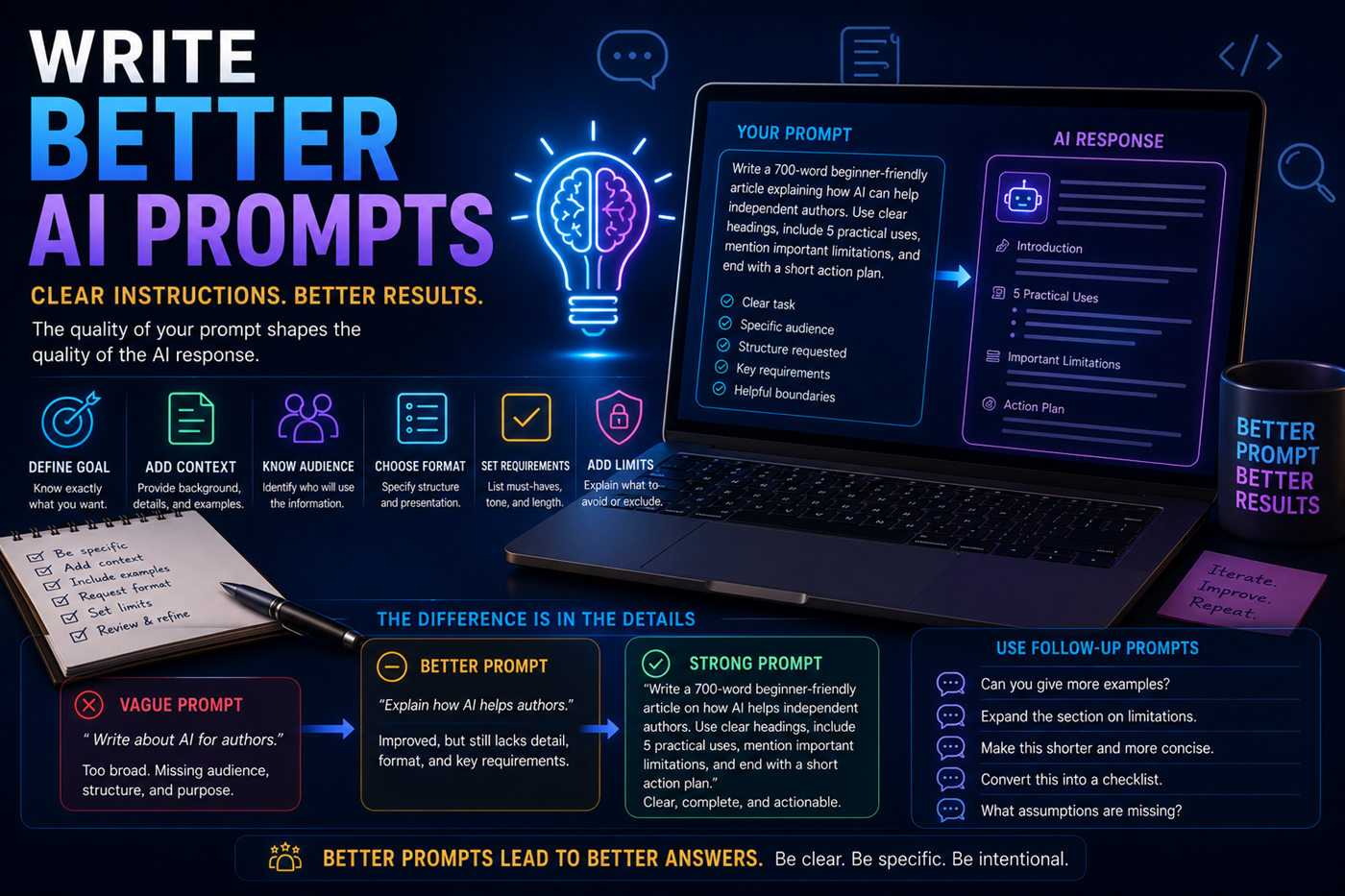
A vague prompt forces the system to guess your purpose, audience, preferred format, and quality standard.
You usually receive stronger results when you describe the goal, provide relevant facts, identify the reader or user, request a structure, and explain what should be included or avoided.
Projects can keep related instructions, conversations, and uploaded resources together.
Keep research, outlines, character notes, chapter drafts, editing instructions, metadata, and marketing plans in one organized workspace.
Store page templates, navigation rules, brand language, folder structures, SEO requirements, images, and completed-page records.
Organize plans, customer research, product descriptions, reports, operating procedures, marketing ideas, and recurring workflows.
Keep source documents, research questions, summaries, competing viewpoints, notes, and draft reports together.
Create a personalized curriculum with explanations, quizzes, exercises, progress reviews, and study materials.
Develop stories, songs, images, scripts, videos, characters, scenes, promotional material, and related content.
Explain the goal, audience, limits, and desired outcome.
Gather reliable facts, source material, examples, and context.
Create an outline, structure, checklist, or production plan.
Develop the draft, image, code, report, plan, or other output.
Check facts, sources, calculations, rules, claims, and technical details.
Add human judgment, voice, formatting, approval, and quality control.
Requests such as “write something about AI” leave the audience, purpose, length, structure, and quality undefined.
Polished writing can still contain false facts, invented sources, missing context, or outdated information.
Users should avoid entering passwords, account details, confidential records, or private information without understanding the platform’s controls.
Complex work is often better completed through several stages and follow-up requests.
Generated writing may be repetitive, generic, inaccurate, or inconsistent with the creator’s real voice.
Model names, limits, interfaces, pricing, and capabilities may change as ChatGPT develops.
Authors can use ChatGPT across research, outlining, drafting, editing, publishing, marketing, websites, and intellectual-property development.
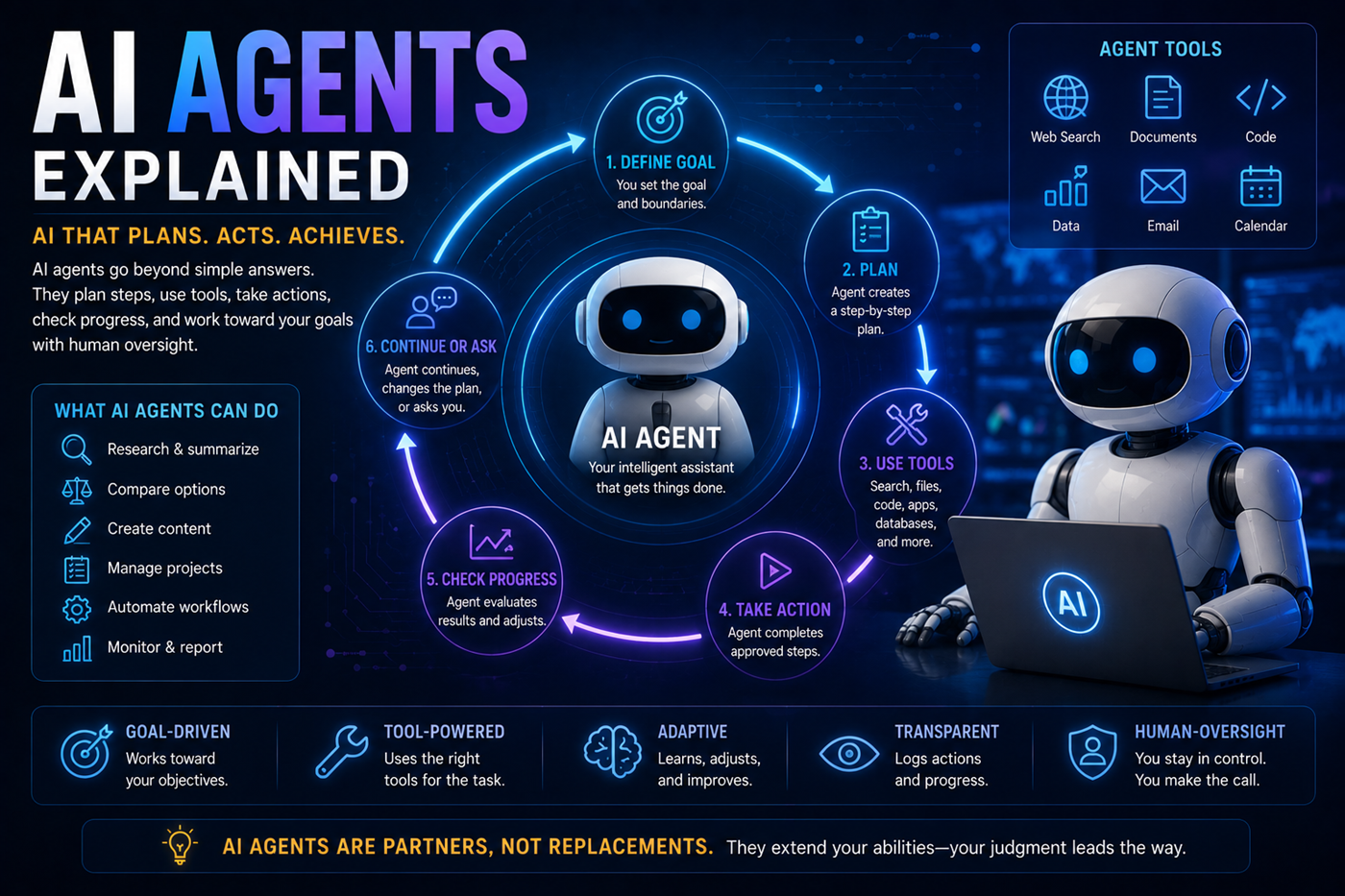
One AI platform does not need to perform every part of a project.
ChatGPT may help organize research, develop plans, create text, analyze files, generate images, work with code, and coordinate tasks. Other specialized tools may contribute additional research, music, video, design, publishing, or automation capabilities.
The human creator remains responsible for directing the system, choosing tools, checking outputs, and approving the final result.
ChatGPT may generate false facts, quotations, sources, names, dates, or statistics that sound believable.
Understand hallucinationsCurrent information may require web search, authoritative sources, and direct verification.
Learn how to verify informationChatGPT cannot automatically know every fact, preference, rule, document, or circumstance relevant to your situation.
Prompts and files may contain sensitive information that should not be shared without understanding the platform’s settings and policies.
Explore AI and privacyGenerated content may reflect incomplete data, cultural assumptions, stereotypes, or missing perspectives.
The user remains responsible for deciding what to publish, share, purchase, automate, or act upon.
ChatGPT changes frequently. Use OpenAI’s official pages for current plan details, feature availability, product updates, and support information.
ChatGPT offers free access and paid plans. Available models, usage limits, files, images, research features, tasks, projects, and other tools may vary by plan.
ChatGPT can search the web when search is available and relevant. Search-based answers may include links and citations to sources.
Users should still inspect the sources and confirm important claims.
ChatGPT can work with supported files when file uploads are available. It may summarize, extract information, compare sections, analyze tables, and answer questions about the supplied material.
Results depend on file quality, formatting, supported limits, and whether important visual material can be interpreted correctly.
ChatGPT can generate and edit images when image capabilities are available. Users can describe the scene, style, layout, subjects, text, and changes they want.
Memory behavior depends on the user’s settings, plan, project configuration, available features, and current product design.
Do not assume that every detail will be remembered permanently or remain limited to one conversation.
ChatGPT can help research, outline, draft, edit, organize, and market a book. Strong books still require human direction, lived experience, factual review, voice, structure, originality, and final editorial judgment.
No. ChatGPT may generate incorrect, incomplete, outdated, biased, or invented information. Important claims should be checked against current and authoritative sources.
Do not upload confidential, private, medical, financial, legal, customer, employment, or identifying information unless you understand the account’s privacy protections, organizational policies, and data controls.
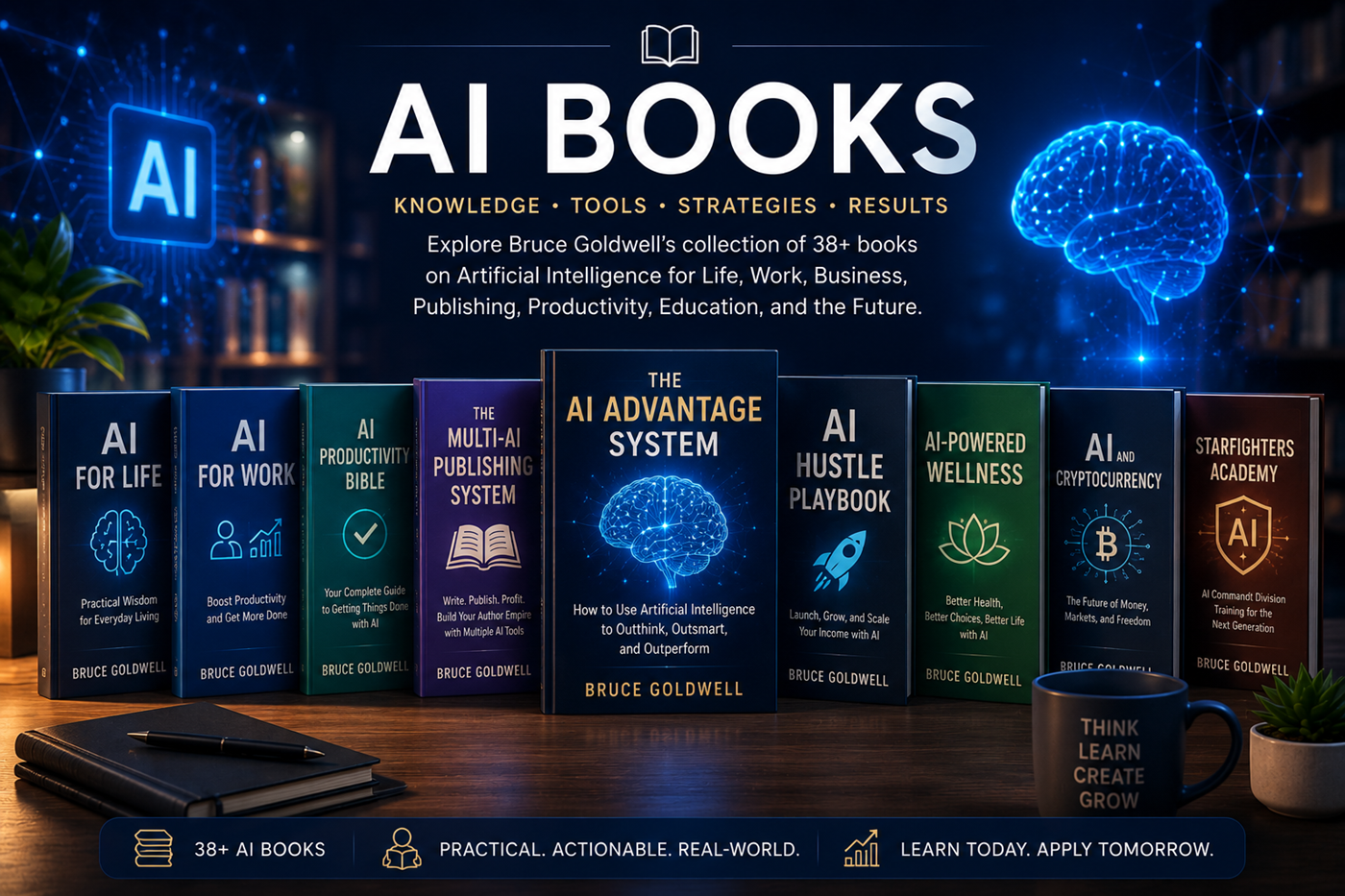
Bruce Goldwell’s AI-related books explore prompts, productivity, publishing, business, work, life, wellness, education, applications, automation, and future technology.
The books connect practical ChatGPT use to larger systems for authors, entrepreneurs, creators, students, professionals, and everyday learners.
Explore another leading conversational AI platform and learn how its approach to writing, document analysis, reasoning, and long-form work compares with ChatGPT.