Search the Web
Find current information from websites, reports, news pages, organizations, research sources, and other online material.
Learn how to use Perplexity for current web research, cited answers, follow-up questions, Research mode, Spaces, file analysis, source verification, education, business, and creative projects.
Perplexity is an artificial intelligence answer engine designed to research the open web and return concise, conversational answers with inline source citations.
Instead of displaying only a traditional list of search results, Perplexity can gather information from several pages, summarize the findings, cite the sources, and allow you to continue asking related questions.
It is especially useful for current research, comparisons, background investigations, source discovery, product research, topic exploration, and questions that require links to supporting evidence.
Perplexity is not one permanent set of tools. Available search modes, models, file limits, Spaces, connectors, media generation, Computer capabilities, subscription benefits, and account controls may change over time.
Capabilities vary by account and plan, but Perplexity can support many research, learning, comparison, and knowledge-work tasks.
Find current information from websites, reports, news pages, organizations, research sources, and other online material.
Connect claims to inline citations so users can open the source and inspect the supporting material.
Investigate complex questions, gather multiple sources, compare findings, and produce organized research summaries.
Continue a research thread without repeating the entire subject and explore specific parts of the original answer.
Keep related research threads, instructions, links, files, sources, and collaborators together in organized workspaces.
Upload supported documents and ask Perplexity to summarize, compare, explain, extract, or analyze their contents.
Upload supported images so Perplexity can identify subjects, interpret graphics, describe content, or assist with captions.
Some plans provide access to different advanced AI models for research, reasoning, writing, and comparison.
Ask questions through supported voice features and receive current answers without typing.
Eligible plans may use Perplexity Computer for broader research, browser actions, workflows, creation, and connected tasks.
Perplexity’s browser can assist with research, comparison, summaries, drafting, and supported actions across open tabs.
Develop reports, summaries, outlines, comparisons, documents, applications, and other supported outputs.
You can begin with one well-defined research question.
State the topic, timeframe, location, audience, or decision you are researching.
Examine the summary, key claims, dates, qualifications, and areas of uncertainty.
Check the pages used and determine whether they actually support the claims.
Request more detail, competing views, primary sources, dates, or missing context.
Compare important claims with authoritative and independent sources before acting.
Perplexity’s citations are one of its most useful features because they provide a path from the generated answer back to the source material.
A citation does not automatically prove that a statement is correct. The linked page may be outdated, low quality, incomplete, misinterpreted, or unrelated to the precise claim.
Open important citations and compare the wording of the answer with the wording and context of the original source.

Spaces can keep related research, instructions, files, links, sources, and conversations together.
Organize sources, chapter questions, current facts, expert viewpoints, timelines, quotations, and follow-up investigations.
Track competitors, industries, market reports, customer questions, technology developments, regulations, and business opportunities.
Keep readings, source links, research questions, study notes, definitions, assignments, and related threads together.
Gather official documentation, software comparisons, implementation questions, security concerns, code research, and updates.
Build a dated collection of reporting, primary documents, official statements, competing interpretations, and verified updates.
Invite collaborators when supported and manage how a Space, thread, or collection of sources is shared.
State the question, timeframe, audience, location, and research goal.
Gather current information from relevant online and uploaded sources.
Identify agreement, disagreement, missing evidence, and competing interpretations.
Open citations and review the original context, dates, authors, and evidence.
Confirm important claims through primary and independent authoritative sources.
Write the conclusion with citations, limitations, dates, and human judgment.
A concise answer may omit qualifications, disagreements, exceptions, or context contained in the original sources.
A real link can still be weak, outdated, misread, or unrelated to the precise statement being made.
Important claims should be compared across primary evidence and several independent authoritative sources.
A source may have been accurate when published but later replaced by new rules, prices, evidence, or events.
Narrowing the subject, timeframe, location, purpose, and source requirements usually produces more useful research.
Users should understand account, file, connector, retention, privacy, and organizational controls before supplying private information.
Authors can use Perplexity to locate current sources, test claims, compare viewpoints, discover primary documents, and create stronger research foundations.
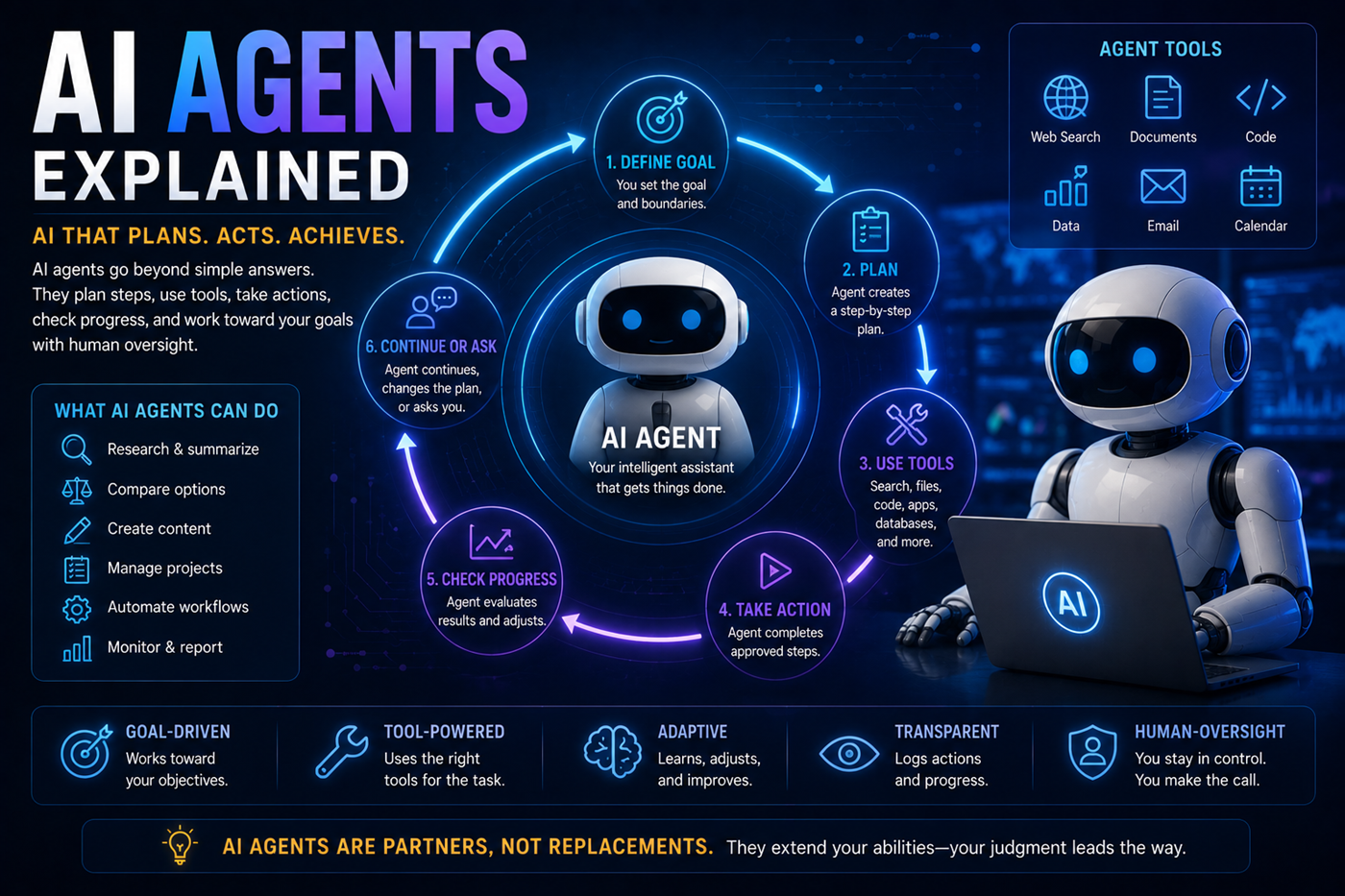
Perplexity can serve as the research and source-discovery stage of a larger creative or professional workflow.
Perplexity may locate current information, build source lists, compare claims, discover primary documents, and organize research. Other AI systems may contribute long-form writing, document editing, source-grounded notebook analysis, code development, images, video, music, publishing, or application hosting.
The human creator remains responsible for inspecting citations, evaluating source quality, directing the workflow, protecting sensitive information, and approving the final result.
Perplexity may generate incorrect names, facts, dates, quotations, statistics, conclusions, or source interpretations.
Understand hallucinationsA citation may point to a real page that does not fully support the claim appearing in the answer.
Learn how to verify informationSearch results may include promotional, copied, outdated, biased, incomplete, or low-authority material.
Summaries may leave out qualifications, exceptions, disagreements, methods, or limitations in the source.
Prompts, uploaded files, connectors, Spaces, and account activity may involve information that requires protection.
Explore AI and privacyUsers remain responsible for what they publish, submit, share, purchase, automate, or act upon.
Perplexity changes frequently. Use its official product pages and Help Center for current plans, features, file limits, privacy information, Spaces, applications, and support.
Perplexity offers free access and paid plans. Search limits, advanced models, Research capabilities, Spaces, file analysis, Computer access, media tools, and other features may vary by plan.
A traditional search engine generally provides a ranked list of pages. Perplexity can search several pages, synthesize the information into a conversational answer, attach citations, and support follow-up questions.
Users should still open the cited pages and evaluate them directly.
Web-based Perplexity answers normally include inline citations and a source list. The number and type of citations depend on the query, search mode, source availability, and product feature.
No. A citation may be credible but still fail to support the exact wording or conclusion in the answer.
Open important citations and inspect the source, context, author, publication date, evidence, and limitations.
Research features are designed for questions requiring broader investigation, multiple searches, organized sourcing, and a more complete report.
The resulting report still requires source inspection and human fact-checking.
Spaces are organized workspaces where users can keep related research threads, custom instructions, files, links, sources, and collaborators together.
Sharing controls and feature availability may vary by plan.
Perplexity can analyze supported uploaded files and may summarize, compare, extract, explain, or answer questions about the contents.
File types, size limits, retention rules, and the number of files allowed may vary by plan and product.
Perplexity can analyze supported images and may identify subjects, interpret visible information, explain graphics, or assist with captions.
Results may be affected by image quality, text size, visual complexity, and missing context.
Paid plans may provide access to several advanced models or automatically select models for different research and creation tasks.
Model availability and names may change over time.
No. Perplexity may misunderstand a question, misread a source, omit context, combine incompatible information, or generate an unsupported conclusion.
Important information should be verified through current primary and authoritative sources.
Do not upload confidential, private, medical, legal, financial, employment, customer, school, account, or identifying information unless you understand the applicable plan, privacy protections, file controls, connector permissions, retention rules, and organizational policies.
Bruce Goldwell’s AI-related books explore prompts, research, productivity, publishing, business, work, education, automation, creative applications, and future technology.
The books connect practical AI research to larger systems for authors, entrepreneurs, creators, students, professionals, and lifelong learners.
Learn how Google NotebookLM creates source-grounded summaries, study materials, questions, audio overviews, and research support from the sources you provide.