ChatGPT
Useful for planning, writing, editing, research, images, files, data analysis, coding, organization, and ongoing project support.
Explore ChatGPTLearn how to combine specialized AI platforms for research, source analysis, writing, creativity, coding, publishing, verification, and application development.
A multi-AI workflow assigns different parts of a project to the artificial intelligence tools best suited to those tasks.
One platform may be strong at current web research. Another may be better for analyzing a controlled source library. Another may help with long-form writing, visual creation, coding, data, publishing, or application development.
Instead of forcing one assistant to perform every stage, a multi-AI workflow treats each platform as part of a larger creative and production system.
The human creator remains the director. AI tools can research, organize, suggest, create, critique, and build, but the human decides the goal, selects the evidence, resolves conflicts, protects private information, and approves the final result.
A productive workflow begins by matching the task to the platform.
Useful for planning, writing, editing, research, images, files, data analysis, coding, organization, and ongoing project support.
Explore ChatGPTUseful for careful writing, document analysis, structured critique, long-form revision, Projects, coding, and Artifacts.
Explore ClaudeUseful for multimodal work, Google-connected tasks, Deep Research, files, images, video, Canvas, Gems, and Gemini Live.
Explore GeminiUseful for current web information, public X discussions, developing events, reactions, technical reasoning, coding, and media.
Explore GrokUseful for finding current information, discovering sources, comparing claims, building timelines, and researching with inline citations.
Explore PerplexityUseful for questioning selected sources, tracing citations, creating summaries, Audio Overviews, reports, quizzes, maps, and study tools.
Explore NotebookLMUseful for transforming plans into websites, databases, dashboards, automations, educational tools, and deployed applications.
Explore ReplitThe exact tools can change, but the production stages remain useful across many projects.
Identify the final result, intended audience, purpose, required format, quality standard, deadline, limits, and decisions the project must support.
Use ChatGPT, Claude, Gemini, or another general assistant to clarify the project and create a working brief.
Use Perplexity, Grok, ChatGPT, Gemini, Claude, or other search-enabled tools to locate current facts, primary documents, recent developments, competing claims, and useful sources.
Record publication dates, source names, direct links, and questions requiring additional confirmation.
Move the strongest documents, websites, transcripts, notes, and research files into a controlled source system such as NotebookLM or an organized project folder.
Remove duplicates, weak sources, irrelevant material, and outdated versions.
Use NotebookLM, Claude, ChatGPT, Gemini, or another suitable assistant to identify themes, timelines, evidence, contradictions, gaps, relationships, and the most useful structure.
Create an outline, production plan, source map, or project architecture.
Use the platform best matched to the result: ChatGPT or Claude for writing, Gemini or ChatGPT for media, Replit for applications, or another specialized platform for music, video, design, or automation.
Work in stages instead of asking for the entire complex project in one prompt.
Ask a second AI system to challenge the draft, identify weak reasoning, locate unsupported claims, test code, compare citations, and find missing viewpoints.
Then inspect authoritative sources and perform human review. AI agreement is not proof.
Apply human voice, editorial judgment, accessibility, formatting, permissions, security, metadata, links, testing, and final approval.
Save the final source list, production notes, prompts, versions, and update requirements.
Moving between several AI platforms becomes confusing when each tool receives a different version of the project.
A master project brief provides one reliable source of direction. It should be updated whenever the project changes.
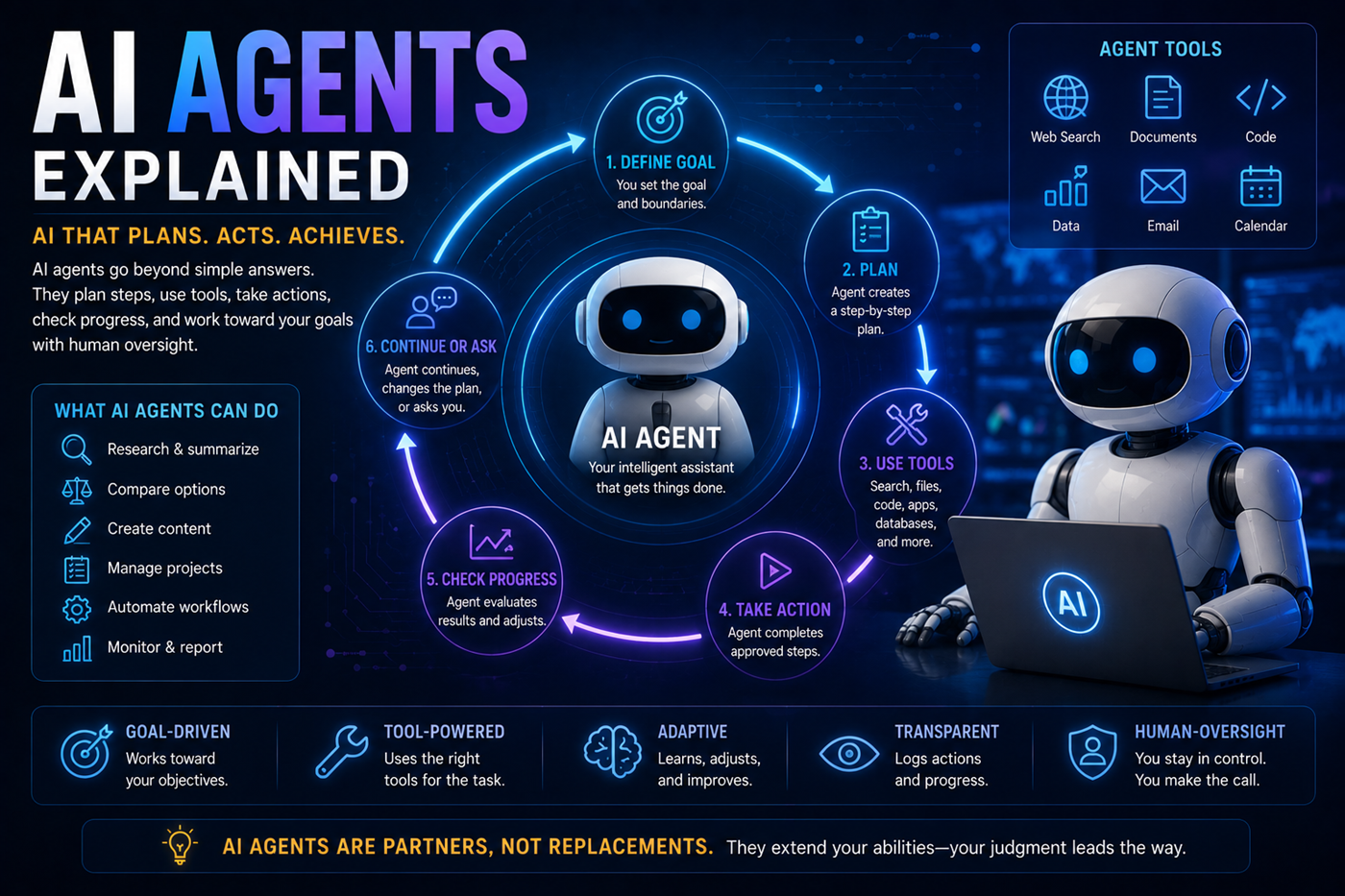
A strong handoff explains what has already been completed and what the next tool is expected to do.
Use Perplexity for current source discovery, NotebookLM for organizing research, ChatGPT or Claude for outlining and drafting, another AI for critique, and image tools for the cover and promotional visuals.
Research current topics, verify facts, create a page plan, use a consistent HTML template, develop supporting images, test all links, and maintain a sitemap and master page list.
Use source-based research to design the curriculum, a writing assistant to create lessons, another AI to build quizzes, and Replit to create progress tracking and certificates.
Use Perplexity or Gemini for current market research, NotebookLM for reports and internal files, Claude or ChatGPT for strategy, and Replit for an internal dashboard or customer portal.
Research the subject, create a verified script, develop scene prompts and storyboards, generate visuals or clips, produce narration or music, and perform a final factual and rights review.
Use a general assistant to define requirements, research competing products, create the specification, build in Replit, test with another AI, and complete human security and usability review.
Find current facts, primary sources, trends, questions, and competing viewpoints.
Organize approved documents, citations, interviews, notes, and reports.
Create the book structure, page architecture, audience promise, and publishing plan.
Develop chapters, web pages, summaries, FAQs, metadata, and promotional content.
Create visuals, study materials, audio, videos, tools, courses, and applications.
Check facts, links, citations, consistency, originality, security, and user experience.
A second AI can reveal problems, but it cannot transform an unsupported claim into verified truth.
Ask a second system to identify factual claims and compare them with current authoritative sources.
Request alternative explanations, counterarguments, assumptions, missing evidence, and possible bias.
Open the source, read the surrounding context, confirm dates, and determine whether it supports the claim.
Run code, test workflows, inspect errors, validate data, review permissions, and check failure conditions.
Determine which information has been copied, uploaded, connected, shared, or stored across the workflow.
Resolve conflicts, choose the final wording, approve publication, and accept responsibility for the outcome.
Record the title, publisher, author, URL, date, source type, main claim, and verification status of important material.
Record major choices, rejected alternatives, approved terminology, structure changes, and reasons behind each decision.
Save drafts, filenames, dates, backups, checkpoints, and notes explaining what changed between versions.
Preserve effective prompts, project instructions, critique prompts, verification requests, and handoff templates.
Mark facts as verified, disputed, outdated, opinion, estimate, prediction, or requiring additional research.
Identify pages, books, data, links, laws, prices, software details, and research that require future review.
A multi-AI workflow can turn one researched idea into an interconnected ecosystem of useful content and intellectual property.
Research can support a book. The book can support knowledge-center pages. Those pages can support lessons, videos, tools, applications, courses, social posts, and future books.
Adding platforms without a clear purpose can create duplication, confusion, higher costs, and inconsistent results.
Each AI may move the project in a different direction unless one master brief defines the approved outcome.
Several AI systems may repeat the same incorrect information because they rely on similar sources or patterns.
Transfer only the context required for the next task, especially when the project contains private or sensitive information.
Multiple drafts and platform outputs can overwrite approved work or reintroduce previously rejected content.
The human project owner must decide which sources, drafts, changes, and outputs are approved.
Information copied across several services may be subject to different settings, policies, permissions, and retention rules.
Explore AI and privacyClaims can become separated from their original citations as they move through research, writing, and editing stages.
One incorrect output may be treated as source material by another AI and become more polished without becoming more accurate.
Understand hallucinationsUploaded documents, images, recordings, code, and media may have ownership, licensing, privacy, or usage restrictions.
Workflows that publish, send, purchase, alter files, change code, or use accounts require careful controls and approval.
The project owner remains responsible for accuracy, safety, legality, security, quality, and final publication.
No. Begin with one primary platform and use free access or short-term subscriptions to test specialized tools.
Add another paid platform only when it solves a recurring problem or materially improves the workflow.
Use the fewest tools required to complete the project well. Many projects may need only one primary assistant and one specialized research, source, or development tool.
Additional platforms should have a clearly defined role.
Begin with the main problem. If the project requires current evidence, begin with research. If it depends on supplied documents, begin by organizing the sources. If the goal is content creation, begin with the project brief and outline.
Yes. A second AI can identify possible errors, missing evidence, unclear wording, contradictions, weak logic, coding problems, or alternative interpretations.
The review is an additional perspective, not proof that the final answer is correct.
Transfer the project goal, approved facts, source list, required structure, audience, style rules, completed work, important decisions, and the specific next task.
Avoid transferring unrelated or sensitive information.
Create a style guide containing the intended voice, audience, sentence style, terminology, formatting, level of detail, words to avoid, and examples of approved writing.
Provide the same guide to every AI used for writing or editing.
Label verified facts, opinions, estimates, and unconfirmed claims. Preserve citations. Do not present one AI’s unsupported answer to another AI as if it were a trusted source.
Verify important claims before they enter the approved project brief.
Explain the previous stage when it affects the next task. The platform name is less important than clearly identifying which material is researched, verified, drafted, approved, or still uncertain.
Multiple AI tools can help research, outline, draft, critique, edit, format, illustrate, publish, and market a book.
A strong book still requires human experience, direction, factual review, originality, voice, structure, and final editorial judgment.
Yes. One AI can help research user needs, another can prepare the specification, another can create content and visuals, and Replit or another development platform can build and deploy the application.
The result still requires testing, security review, accessibility checks, cost management, and human approval.
No. Simple tasks may be faster and clearer with one platform.
Multi-AI workflows are most useful when the project requires several distinct capabilities, independent critique, current research, source grounding, or production beyond one platform’s main strengths.
The human creator or project owner makes the final decision and remains responsible for what is published, shared, submitted, purchased, automated, deployed, or acted upon.
Bruce Goldwell’s AI-related books explore prompts, research, productivity, publishing, business, education, applications, automation, creative systems, and future technology.
The books connect practical AI tools into larger systems for authors, entrepreneurs, creators, students, professionals, and lifelong learners.
Learn how to check AI-generated facts, citations, quotations, statistics, dates, sources, and conclusions before publishing or acting.