Practical Prompt Writing

How to Write Better AI Prompts

Turn vague requests into clear instructions by defining your goal, adding useful context, identifying the audience, requesting a format, setting requirements, and reviewing the result.

Begin with Clarity

Better Prompts Tell AI What Success Looks Like

Artificial intelligence cannot automatically know your purpose, audience, preferred style, required details, or how you plan to use the result.

When a prompt is vague, the AI must guess. It may produce an answer that is correct in a general sense but too broad, too technical, too short, too repetitive, or unrelated to the real goal.

A better prompt reduces unnecessary guessing. It explains the task, provides relevant background, identifies the audience, requests a format, lists important requirements, and establishes boundaries.

The goal is not to write the longest prompt. The goal is to provide the right information in a clear and useful way.
See the Upgrade

From a Basic Request to a Useful Prompt

Before

Vague Prompt

The AI does not know the audience, length, purpose, structure, tone, or important points.

“Write about artificial intelligence.”
After

Improved Prompt

The AI receives a clear task, audience, length, structure, examples, tone, and final goal.

“Write an 800-word beginner-friendly article explaining artificial intelligence to adults with no technical background. Use six clear headings, include three everyday examples, explain two limitations, avoid technical jargon, and end with five practical steps for getting started.”
Step-by-Step Method

Six Steps for Writing Better Prompts

Use these steps whenever an AI response needs to be accurate, organized, useful, or ready for further editing.

1

Define the Result

Begin by deciding exactly what you want the AI to produce.

  • An article
  • A business plan
  • A book outline
  • A comparison
  • A checklist
  • HTML code
2

Provide Context

Explain the background information the AI needs in order to understand the task.

  • The purpose of the project
  • Relevant facts
  • Existing content
  • Your goals
  • Problems you are trying to solve
3

Identify the Audience

Tell the AI who will read, use, watch, or hear the final result.

  • Beginners
  • Experienced professionals
  • Children or adults
  • Customers
  • Authors
  • Students
4

Request a Format

Explain how the response should be organized.

  • Headings and paragraphs
  • Numbered steps
  • Bullet points
  • Table
  • Email
  • Script or code
5

Add Requirements and Limits

List what must appear and what should be avoided.

  • Length
  • Tone
  • Examples
  • Keywords
  • Required sections
  • Claims that need verification
6

Review and Refine

Treat the first answer as a draft that can be improved.

  • Check relevance
  • Correct missing details
  • Request clearer explanations
  • Verify important claims
  • Add your own judgment
Build It Piece by Piece

How to Assemble a Strong Prompt

Prompt Ingredients

  • Task: Write a guide about AI for authors.
  • Context: The guide is for independent authors who are new to AI.
  • Audience: Adults with limited technical experience.
  • Format: Article with headings and an action checklist.
  • Requirements: Include research, outlining, editing, marketing, and verification.
  • Limits: Avoid hype, technical jargon, and unsupported income claims.

Completed Prompt

“Write a 1,000-word practical guide explaining how independent authors can use artificial intelligence. The audience is adults who are new to AI and have limited technical experience. Organize the article with clear headings and end with a seven-step action checklist. Include research, brainstorming, outlining, editing, book descriptions, marketing, and fact-checking. Use a helpful and realistic tone. Avoid technical jargon, exaggerated promises, and unsupported income claims.”
Useful Prompt Patterns

Prompt Structures You Can Reuse

Explain

Explain a Concept

“Explain [topic] to [audience]. Use simple language, include [number] examples, define important terms, and end with a short summary.”
Compare

Compare Options

“Compare [option one] and [option two] for [specific purpose]. Use a table covering benefits, limitations, cost, ease of use, and best use case.”
Create

Create Content

“Create a [content type] for [audience] about [topic]. Use a [tone] tone, include [requirements], and end with [desired conclusion or call to action].”
Improve

Improve Existing Text

“Revise the text below for clarity, grammar, flow, and readability. Preserve the original meaning and voice. Remove repetition and explain every major change.”
Plan

Build a Plan

“Create a step-by-step plan for [goal]. Assume [constraints]. Include priorities, required resources, likely obstacles, and the first three actions to take.”
Analyze

Analyze Information

“Analyze the information below. Separate facts, assumptions, risks, missing information, and recommended next steps. Flag anything that requires verification.”
Improve the Conversation

A Five-Step Follow-Up Sequence

You can improve almost any first response by continuing the conversation.

Quality Control

Questions to Ask Before Using an AI Response

Is It Relevant?

Does the response solve the actual problem and match the intended audience?

Is It Accurate?

Which facts, dates, quotations, statistics, laws, or claims need verification?

Is It Complete?

Did the AI miss important requirements, context, risks, or alternative viewpoints?

Is It Clear?

Is the language readable, organized, direct, and appropriate for the audience?

Is It Original Enough?

Does the response sound generic, repetitive, overly familiar, or too similar to common material?

Is It Responsible?

Does it protect privacy, avoid harmful claims, and respect legal and ethical limits?

Does It Sound Human?

Has personal experience, emotion, judgment, voice, and purpose been added?

Should It Be Used?

You remain responsible for deciding whether the response should be shared, published, or acted upon.

Ready-to-Adapt Templates

Practical AI Prompt Templates

Beginner Explanation Template

“Explain [topic] to a complete beginner. Use simple language, define important terms, include three everyday examples, avoid technical jargon, and end with five key takeaways.”

Article Template

“Write a [word count]-word article about [topic] for [audience]. Use a [tone] tone, include [number] headings, cover [required points], avoid [limitations], and end with [conclusion or call to action].”

Research Template

“Help me research [topic]. Begin by listing the major questions that need to be answered. Separate established facts, disputed claims, assumptions, and unknowns. Identify what requires current authoritative sources.”

Editing Template

“Edit the text below for grammar, clarity, pacing, flow, and readability. Preserve the author's meaning and voice. Remove repetition, identify weak sections, and provide a polished version.”

Business Planning Template

“Create a practical business plan for [idea]. The business will serve [audience] and operate with [budget or constraints]. Include the value proposition, customer needs, risks, launch steps, marketing plan, and first 30-day action list.”

Critical Review Template

“Review the response below as a skeptical expert. Identify unsupported claims, missing context, weak assumptions, possible bias, factual risks, and areas that need stronger evidence.”
Prompts Are Only the Beginning

Strong Results Require Human Judgment

A better prompt can improve an AI response, but no prompt guarantees accuracy, originality, safety, or professional quality.

Artificial intelligence may still misunderstand your situation, invent details, use outdated information, reflect bias, or produce writing that sounds polished but lacks depth.
  • Verify high-impact information
  • Protect private and sensitive details
  • Check quotations, statistics, and sources
  • Review copyright and platform rules
  • Add personal experience and judgment
  • Take responsibility for the final result
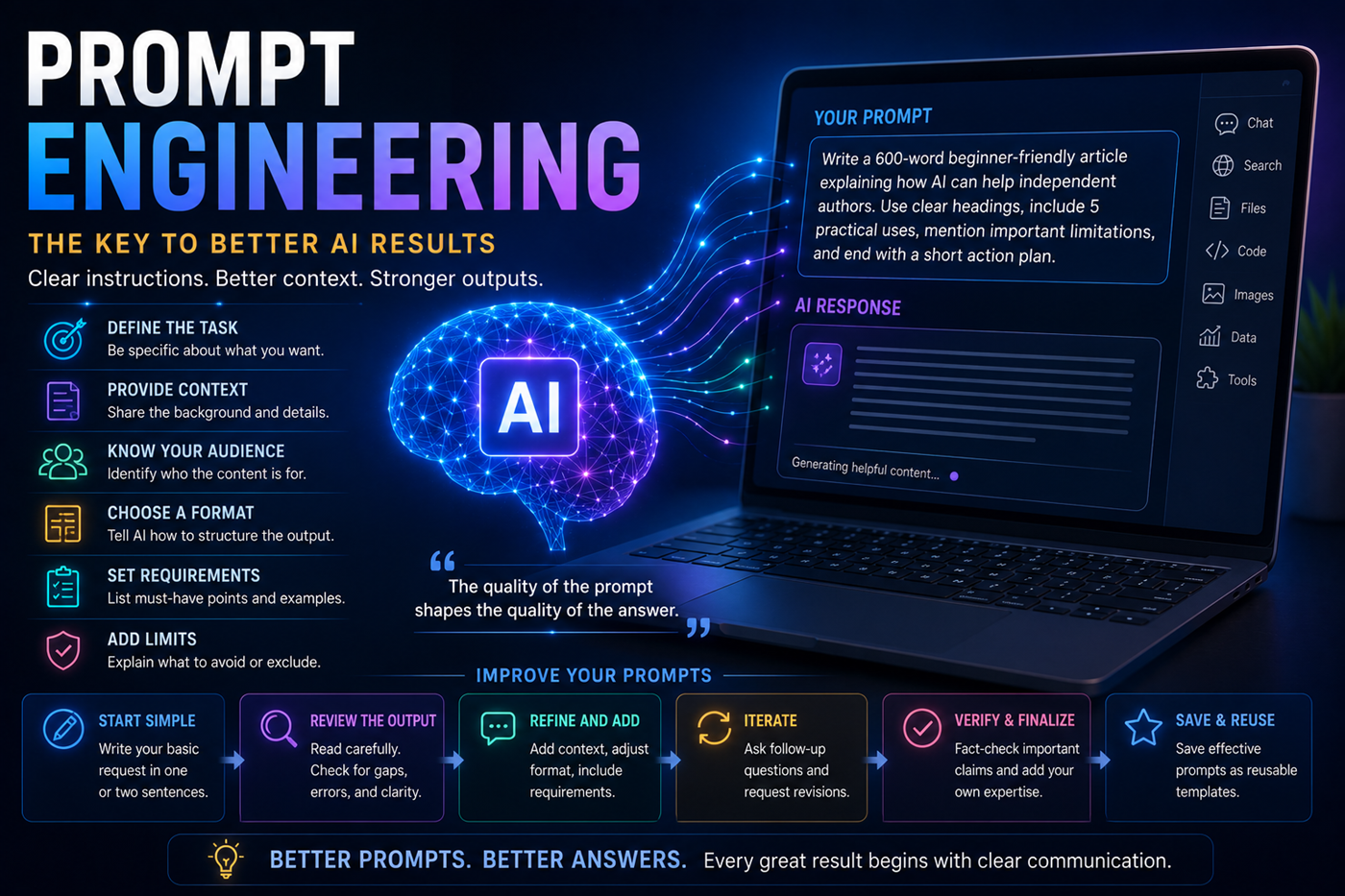
Prompt engineering process showing how clear instructions lead to stronger artificial intelligence responses
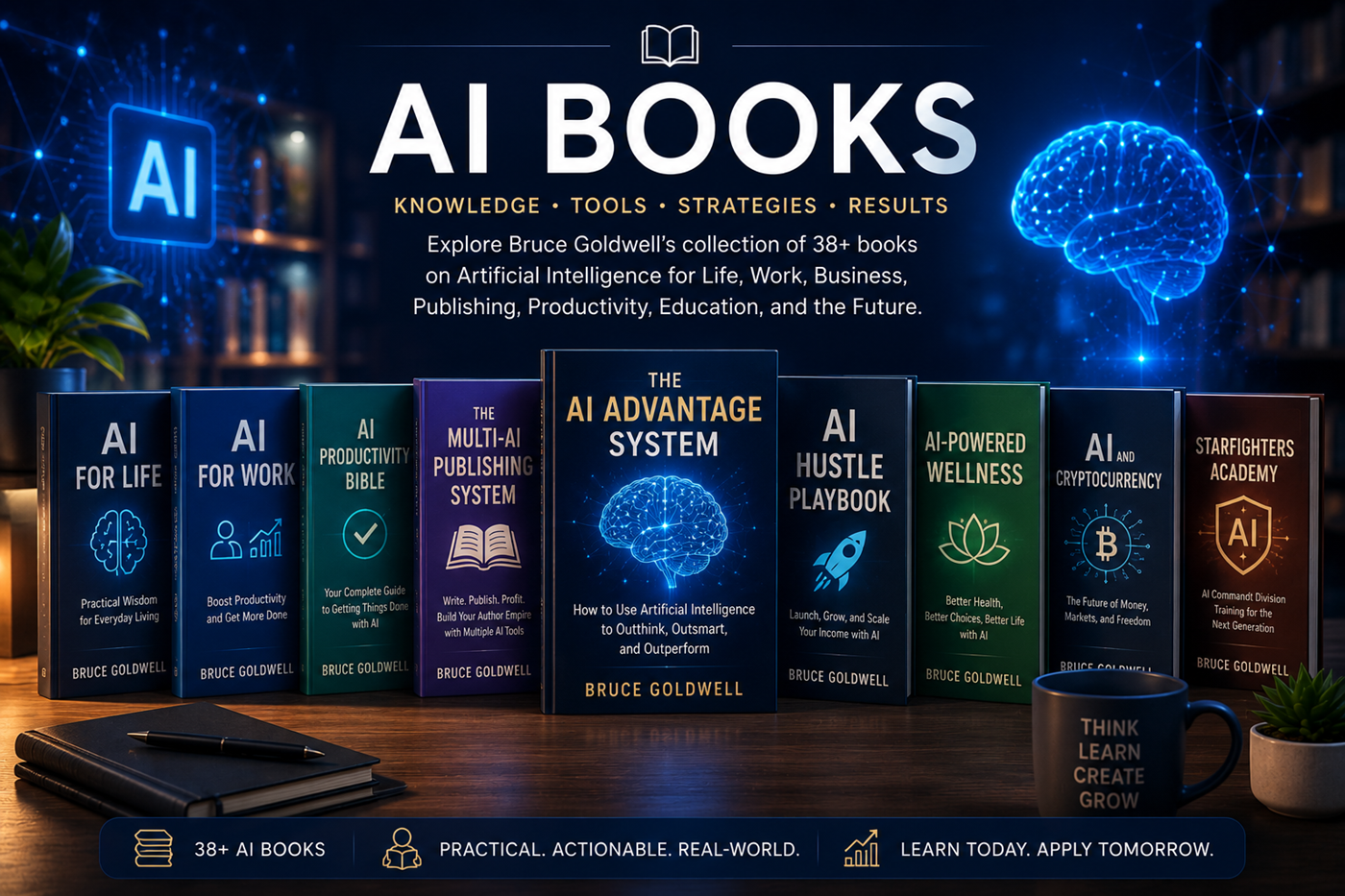
Bruce Goldwell books about artificial intelligence prompts, productivity, publishing, business, and practical AI systems
Expand Your Prompt Library

Explore More Than 300 Practical AI Prompts

AI Productivity Bible 2026 includes more than 300 prompts designed for ChatGPT, Claude, AI agents, business, work, publishing, creativity, and everyday productivity.

Bruce Goldwell's broader AI library also explores multi-AI publishing, artificial intelligence for work, AI for life, entrepreneurship, wellness, education, and practical digital systems.

Frequently Asked Questions

Questions About Writing Better Prompts

How can I make an AI prompt more specific?

State the exact task, describe the audience, provide relevant background, request a format, list required details, and explain what the AI should avoid.

Why do I receive generic AI answers?

Generic answers usually result from broad prompts, missing context, an undefined audience, or no clear quality standard.

Should I ask AI to act as an expert?

Assigning a role can help establish perspective and tone, but it does not turn the AI into a licensed professional or guarantee expert accuracy. Important claims still require verification.

Is it better to use one long prompt or several short prompts?

For simple tasks, one clear prompt may be enough. Large projects are often better divided into stages such as research, outline, draft, review, and final revision.

Can I save and reuse good prompts?

Yes. Save successful prompts as templates, then update the topic, context, audience, requirements, examples, and limits for future projects.

Continue the Learning Path

Learn How AI Fits into Everyday Life

Apply your new prompting skills to planning, learning, organization, communication, personal projects, travel, creativity, and daily decision support.

Educational disclaimer: This page provides general educational information. Artificial intelligence tools, model behavior, platform features, context limits, and prompting methods may change. Review and verify important outputs before publishing, sharing, or acting upon them.